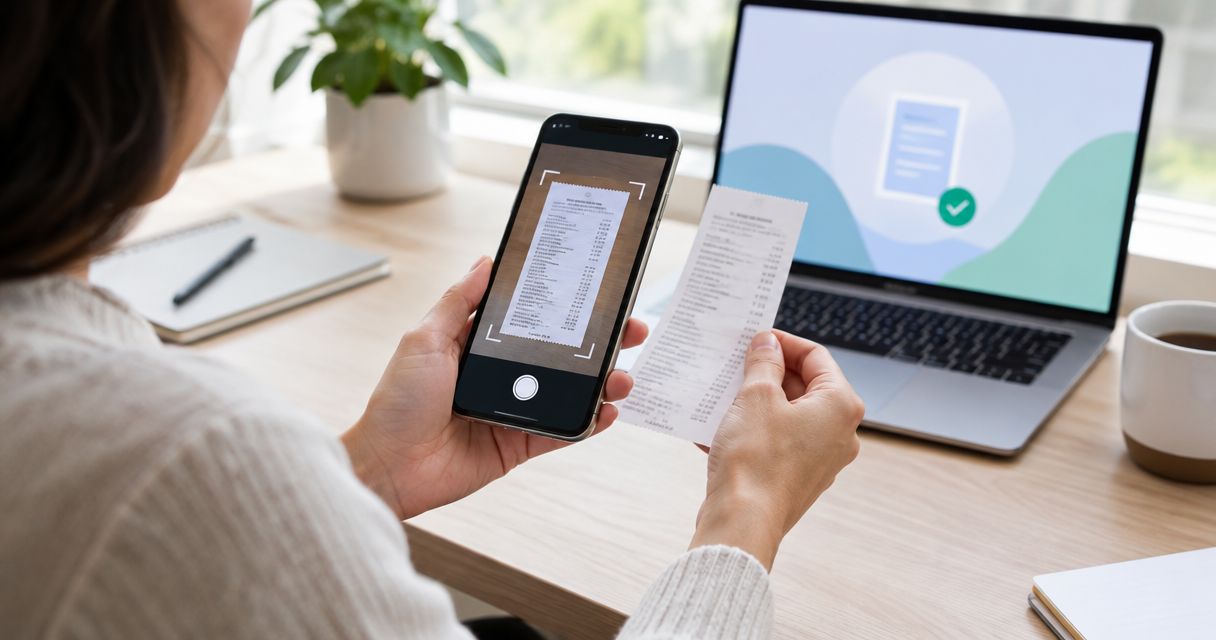
Instead of sorting phone photos whenever you need an HSA reimbursement, use an HSA receipt scanning app to connect each readable receipt with its eligibility check, payment evidence, and reimbursement status. Photograph the full document, verify the details, and keep the record until you reimburse yourself and complete the applicable tax-record retention period.
- Reimbursable suits HSA holders who want receipt tracking with optional scanning automation.
- An HSA receipt scanning app captures information; you still verify medical eligibility and payment details.
- Keep itemized receipts, payment evidence, and reimbursement history together to prevent duplicate claims.
- HSA reimbursements have no IRS time limit; FSA deadlines follow different rules.
Why this matters
A readable receipt photo is useful evidence, but it does not establish every condition for tax-free reimbursement. You also need to show that the expense qualified, occurred after your HSA was established, and was not reimbursed elsewhere or claimed as an itemized deduction.
Reimbursable is best for HSA holders who want receipt tracking with optional scanning automation. You can use Reimbursable for unlimited free manual tracking; Premium adds receipt scanning, bank sync, and email forwarding to reduce receipt administration.
For your 2026 records, use IRS Publication 969 for HSA distribution and recordkeeping rules, and IRS Publication 502 for medical-expense guidance. Publication 502 is a reference, not a complete substitute for HSA-specific rules: HSA eligibility differs from medical-expense deduction rules in some cases.
Before you start
- Gather your evidence. Have your phone, the itemized receipt or provider statement, payment evidence, and your HSA establishment date. For insured care, retain the explanation of benefits when it helps establish your responsibility.
- Choose your tracking method. Use a receipt-tracking account, a spreadsheet linked to saved documents, an HSA-provider receipt tool, or organized paper files. Automated scanning is optional, not a condition for tax-free reimbursement.
- Check the date that matters. A bill paid in 2026 does not make care received before your HSA was established eligible. For medical services, record the service date separately from the payment date.
Keep sensitive medical records somewhere access-controlled. Before connecting a bank account or forwarding medical receipts, review the service's current privacy terms and account-access controls.
Receipt capture
- Lay the receipt flat in even light. Include the merchant or provider, date, item descriptions, amounts, and the bottom of the document.
- Take the photograph straight on. Check the saved image, not just the camera preview, for glare, blur, cropped edges, and unreadable print.
- For a long receipt, take 2 overlapping photographs when a single image makes the text too small. Keep both with the same expense record.
- Save the original image. Add an electronic invoice or itemized statement when the receipt uses descriptions that do not explain the purchase.
Expected result: You can read the original document without guessing at an item, date, or amount. Another person reviewing the record can identify what you bought or which service you received.
A card-terminal slip often proves payment without describing the care or items. Keep it as supporting evidence, but obtain the itemized receipt too. Photograph fading thermal paper promptly, and check that your digital copy remains readable before relying on it.
Expense details
- Create 1 expense record for each separately tracked purchase or bill. Attach all supporting images to that record rather than treating each photograph as another expense.
- Enter or review the provider, patient, service or purchase date, payment date, description, and amount. Treat scanned text as a draft that needs checking.
- Separate the total paid from the portion eligible for HSA reimbursement. Record insurance payments, refunds, and any amount already reimbursed.
- Give the record a consistent reference. A filename such as
2026-06-15-dental-receipthelps you match the image to your ledger without putting detailed medical information in the filename.
Expected result: The expense record matches the source documents, and its eligible amount excludes unrelated purchases and money paid back elsewhere.
For a mixed shopping receipt, identify qualifying items individually instead of marking the entire transaction eligible. Use this guide to separating HSA-qualified medical expenses on mixed bills when the receipt combines medical and household purchases.
Do not let a transaction's merchant name decide eligibility. A pharmacy sells both eligible medical items and ordinary household goods; the itemized purchase determines what needs review.
Eligibility review
- Confirm that the service or purchase occurred after your HSA was established. Keep establishment documentation with your account records.
- Check the expense against the applicable HSA rules, using IRS Publication 969 and relevant medical-expense guidance in Publication 502.
- Confirm whose expense it was. Qualified expenses generally include those for you, your spouse, and eligible dependents under the applicable HSA rules.
- Check for other reimbursement or a tax deduction. Exclude amounts paid back through insurance, an FSA, another reimbursement arrangement, or a previous HSA distribution. Do not also claim an itemized deduction for the same amount.
Expected result: Your record distinguishes a verified eligible amount from an unresolved expense. Leave uncertain items pending rather than including them in your reimbursement total.
A doctor's letter does not automatically turn a general-health purchase into a qualified medical expense. Keep any supporting medical documentation, but evaluate the underlying expense and applicable rules separately.
For your 2026 workflow, write a short eligibility note when the reason is not obvious from the receipt. Record the relevant facts and supporting document, not an unsupported statement that an app approved it.
Reimbursement record
- Assign a tracking status such as Needs review, Unreimbursed, Partly reimbursed, or Reimbursed. These are suggested labels for your records, not required app controls.
- If you reimburse yourself now, request the distribution through your HSA provider's process. Record the distribution date, amount, and confirmation alongside the expense.
- If you reimburse yourself later, leave the eligible balance marked unreimbursed. Keep the receipt and supporting documents accessible across account changes.
- After a partial reimbursement, subtract only the amount distributed. Preserve the original eligible amount and each reimbursement entry.
Expected result: Your records show what remains eligible for reimbursement and which HSA distributions already correspond to the expense.
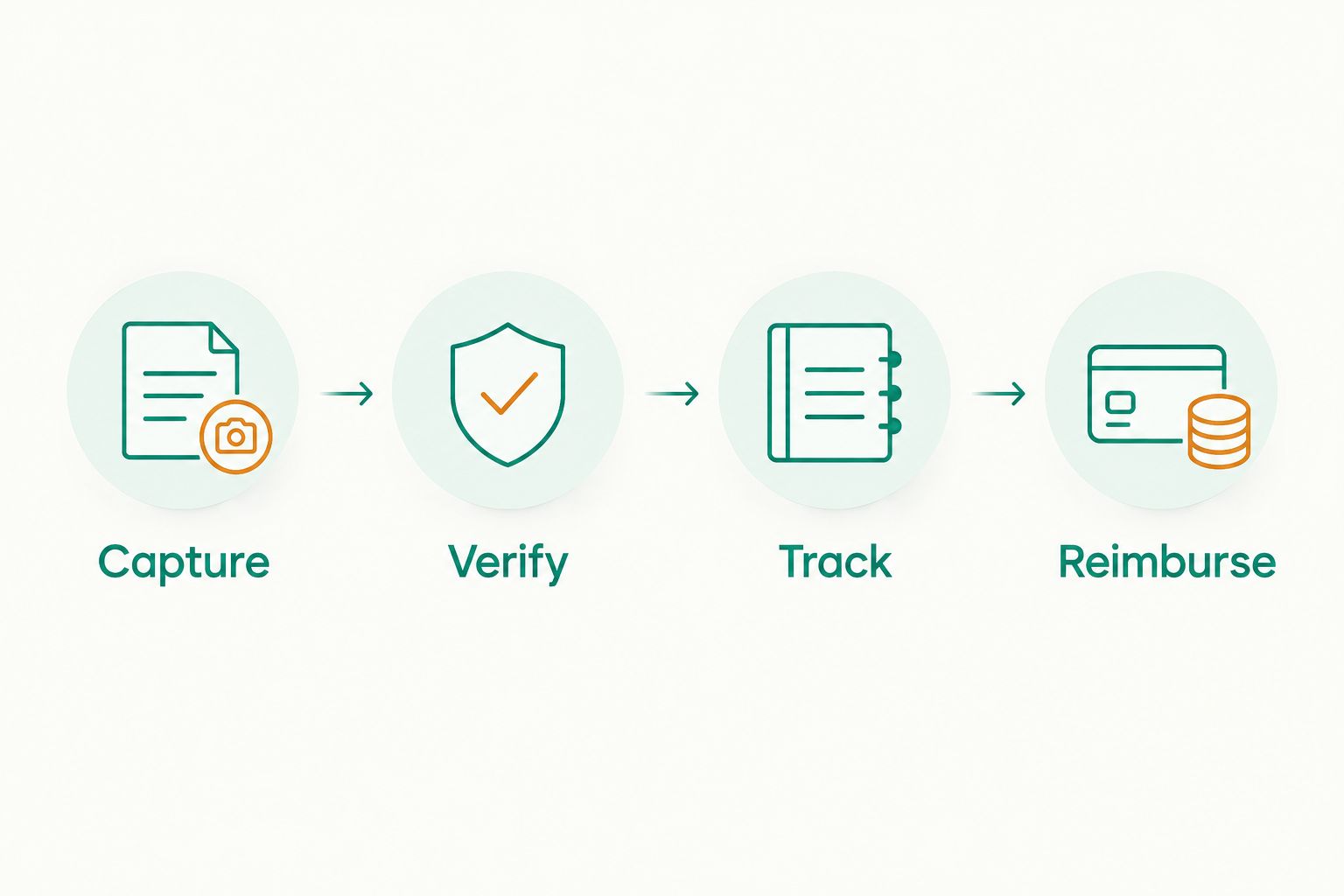
Use the same sequence for every receipt: Capture, Verify, Track, Reimburse. The final step can happen now or later; the evidence should be organized before you need the money.
When the receipt arrives by email instead
For an emailed receipt, keep the original electronic document rather than photographing a screen. This preserves the source file and avoids introducing blur or cutting off details.
- Save the itemized attachment or receipt document. Retain the related email when it contains information absent from the attachment.
- Add it to your existing expense record, or use email forwarding if your chosen tracking plan supports it.
- Match any bank transaction to that same expense. A forwarded receipt and a synced transaction describe one purchase, not two reimbursable expenses.
- Repeat the eligibility and reimbursement-status checks from the photo workflow.
Expected result: Paper and email receipts enter the same review process without creating duplicate eligible balances.
Reimbursable Premium includes email forwarding and bank sync as alternatives to repeated manual entry. Those features reduce administration; they do not replace itemization, establish medical eligibility, or request an HSA distribution on your behalf merely because a receipt was captured.
Choose the tracking method that fits your workload
Choose automation when entering receipts is the problem, not because you think it changes the tax rules. Every method below still depends on readable evidence and accurate reimbursement history.
| Method | Best for | Practical benefit | Limitation or check |
|---|---|---|---|
| Reimbursable free manual tracking | HSA holders comfortable entering expenses | Unlimited manual tracking | You enter and review the details yourself |
| Premium automation | HSA holders reducing repetitive receipt entry | Receipt scanning, bank sync, and email forwarding | Imported details still need review |
| Spreadsheet and document folders | People who want a self-managed system | You define fields and organize source files | You maintain formulas, backups, and matching |
| Paper receipt files | People who prefer physical records | No scanning workflow required | Paper can fade or be lost; retrieval takes organization |
| HSA-provider receipt tools | People who prefer tracking alongside their account | Keeps tracking within the provider's process | Check the specific tool's storage, export, and transfer options |
For 2026, choose based on the records you will actually maintain. A carefully managed spreadsheet is more useful than an automated account full of unchecked duplicates.
Free tracking is a legitimate starting point. Consider Premium when scanning, bank sync, or forwarding removes a recurring task you otherwise leave unfinished.
Troubleshooting
The scan captured the wrong amount
Compare the extracted amount with the original receipt. A scanner can confuse a subtotal, tax line, payment line, or transaction total; correct the record and separately calculate the eligible portion before marking it reviewed.
The receipt and bank feed created duplicates
Match the date, merchant, and transaction amount, then keep a single expense record with both pieces of evidence. Preserve genuinely separate purchases even when the merchant and amount match; check the source documents before removing anything.
The provider statement does not show what you paid
Request an itemized receipt or payment history from the provider. An explanation of benefits describes claim processing, while a payment record documents payment; neither automatically supplies every detail in the other.
Insurance later refunded part of the bill
Update the expense and its remaining eligible balance. If you already reimbursed that portion from your HSA, ask your HSA custodian and tax advisor how to handle the distribution; simply deleting the receipt does not correct the tax treatment.
You cannot read the original photo
Retake the photograph while you still have the receipt, or request a duplicate from the merchant or provider. Do not reconstruct missing items from memory and label the result an original receipt.
Customize your workflow
Set a recurring review reminder and reconcile new receipts against payment records. Before any reimbursement, repeat 3 checks: eligible expense, unreimbursed balance, and supporting documents.
Keep an independent backup you can read, and test retrieval rather than assuming a saved file will remain accessible. Recordkeeping needs to survive a new phone, a closed email account, or a change of HSA provider.
For a 2026 expense reimbursed in a later year, keep the original service date unchanged and add the later distribution date. That separation preserves the history instead of making the reimbursement look like a new medical expense.
FAQ
What should an HSA receipt scanning app actually do?
An HSA receipt scanning app should help you capture readable documents and organize expense details for review. You still need to verify eligibility, payment, and whether the expense was already reimbursed or deducted.
Can I use a phone photo instead of keeping a paper HSA receipt?
A readable electronic copy can support HSA recordkeeping when it accurately preserves the original information and remains accessible. Check the image before relying on it, and retain supporting documents needed to substantiate the expense.
Does scanning a receipt make it eligible for HSA reimbursement?
No, scanning does not establish HSA eligibility. The underlying expense must qualify, occur after the HSA was established, and meet the rules against duplicate reimbursement and deductions.
Is there an IRS deadline for reimbursing an old HSA expense?
There is no IRS time limit for reimbursing a qualified expense incurred after your HSA was established. You must retain records showing that the expense qualified and was not previously reimbursed or claimed as an itemized deduction.
Do FSA receipts follow the same reimbursement timeline?
No, FSAs follow plan-specific coverage and claim-submission deadlines. Do not apply the HSA's open-ended reimbursement timing to an FSA claim; check your plan documents.
Do I need Premium to receive tax-free HSA reimbursement?
No, paid receipt software is not required for tax-free HSA reimbursement. Reimbursable offers unlimited free manual tracking, and spreadsheets, folders, paper records, or HSA-provider tools are legitimate alternatives.
Which IRS sources should I use for my 2026 receipt workflow?
Use IRS Publication 969 for HSA rules and IRS Publication 502 for medical-expense guidance, checking the current applicable instructions. Consult the Form 8889 instructions when reporting HSA distributions, and ask your tax advisor about uncertain expenses.
One last thing
A receipt belongs to an expense; a reimbursement belongs to a distribution. Keep those as separate events, especially when you reimburse one bill in parts or several bills together.
That distinction makes your records easier to check without changing the original purchase history. Not tax advice; consult your tax advisor.