
Flex helps with HSA/FSA payments at checkout, but completing a purchase is different from keeping the records needed for reimbursement. The best Flex alternatives in 2026 are Reimbursable for dedicated HSA receipt tracking and a spreadsheet with saved receipts for manual control. This comparison separates payment tools from recordkeeping systems so you can choose what you actually need.
- For Flex alternatives focused on HSA receipt tracking, choose Reimbursable or a spreadsheet with saved receipts.
- HSA-provider receipt tools, digital folders and paper files are legitimate alternatives; choose a system you will maintain.
- HSA reimbursement can be delayed; FSA claims follow your plan’s deadlines.
- Receipt scanning reduces admin, but eligibility and documentation still determine whether reimbursement qualifies.
Why this matters
A successful HSA/FSA payment is not the same thing as a complete tax record. You still need evidence of the expense, its eligibility and whether someone else reimbursed it.
Reimbursable combines an eligibility directory covering 890+ HSA/FSA-eligible items with receipt tracking. That makes it relevant when your problem starts after checkout: keeping medical expenses organized until you reimburse yourself.
For your 2026 decision, separate three jobs: paying the bill, documenting the expense and requesting reimbursement. One tool does not have to handle all three.
An HSA lets you delay reimbursement for eligible expenses incurred after the account was established. A health FSA follows plan-specific coverage and claim deadlines; it is not a long-term receipt bank.
Flex alternatives at a glance
Choose by the job you need done, not by whether a service mentions HSA or FSA. A payment option and a receipt archive solve different problems.
| Option | Best for | Standout capability | Difference from Flex’s checkout role | Main limitation |
|---|---|---|---|---|
| Flex | HSA/FSA payments at checkout | Payment-focused workflow | Baseline option for the purchase itself | Payment acceptance does not establish tax eligibility |
| Reimbursable | Dedicated HSA receipt tracking | Unlimited free manual tracking; Premium receipt automation | Focuses on eligibility lookup and expense records | You must still check eligibility and reimbursement status |
| Spreadsheet plus receipts | Direct control over your expense ledger | Custom fields and calculations | Builds a separate record outside checkout | Manual updates and document matching |
| HSA-provider receipt tool | Keeping records with your account | Provider-based recordkeeping, where offered | Connects your workflow to your HSA provider | Features and access depend on the provider |
| Digital folders or paper files | A simple receipt archive | Direct storage of supporting documents | Keeps evidence independently of payment | No automatic reimbursement ledger |
None of these choices changes IRS requirements. An app can organize evidence; it cannot turn a personal expense into qualified medical care.
1. Reimbursable: best for dedicated HSA receipt tracking
Reimbursable is an HSA receipt-tracking alternative for people who pay medical bills out of pocket and save the records for later reimbursement. Free manual tracking is unlimited, while Premium adds AI receipt scanning, bank sync and email forwarding to reduce receipt admin.
The practical distinction is recordkeeping rather than checkout. You can use a payment service for a purchase and a separate system to document the resulting expense.
Where it shines
- An eligibility lookup directory and expense tracking address related tasks in one service.
- Unlimited free manual tracking supports a recordkeeping habit without requiring Premium.
- Premium automation addresses repetitive receipt entry and collection.
Where it falls short
- Automated capture does not establish that an expense qualifies under IRS rules.
- You still need to identify insurance reimbursements, FSA payments and previously reimbursed amounts.
- If you already maintain accurate records elsewhere, another app adds another system to manage.
| Dimension | Dedicated receipt tracking | Flex checkout |
|---|---|---|
| Primary job | Organize expenses and supporting records | Handle HSA/FSA payment at purchase |
| Eligibility work | Directory supports research; you verify the expense | Payment acceptance is not a tax determination |
| Reimbursement decision | Depends on your documentation and account rules | Checkout alone does not resolve delayed-reimbursement requirements |
Best for: HSA holders who want a dedicated expense record and less manual receipt administration.
Review the tracking plan options before choosing automation. Start with free manual tracking; consider Premium when scanning, bank sync or email forwarding solves a recurring problem.
Verdict: Choose dedicated tracking when receipt administration is the problem; skip Premium if manual entry already works.
2. Spreadsheet plus receipts: best for manual control
A spreadsheet is a legitimate HSA tracking system when every entry connects to supporting documents. Its strength is flexibility: you decide which fields to track and how to distinguish unreimbursed expenses from completed reimbursements.
The spreadsheet is the index, not the evidence. Keep itemized receipts, relevant insurance statements and proof of payment alongside it.
Where spreadsheets shine
- You can create separate fields for service dates, payment dates and reimbursement dates.
- You can record partial reimbursements without treating the entire expense as settled.
- You control the organization rather than adapting to an app’s workflow.
Where spreadsheets fall short
- Every correction and status update depends on you.
- A broken document link can separate a ledger entry from its evidence.
- A formula cannot determine whether a medical expense qualifies.
| Dimension | Spreadsheet plus receipts | Flex checkout |
|---|---|---|
| Primary job | Maintain a custom expense ledger | Complete a payment |
| Supporting evidence | You save and connect the documents | You still need adequate records |
| Ongoing work | Manual updates and reconciliation | Payment activity is only part of recordkeeping |
Best for: People who already maintain spreadsheets consistently and want direct control over their records.
Verdict: Choose a spreadsheet if you will maintain it; skip it if your receipts already sit in an unsorted backlog.
3. HSA-provider receipt tools: best for an account-centered workflow
Your HSA provider’s receipt tool is a sensible starting point if it offers the recordkeeping functions you need. Check the actual workflow before adding another service.
Test whether you can retain supporting documents, distinguish unreimbursed expenses and retrieve your records if you change providers. Those are selection criteria, not features to assume.
Where provider tools shine
- Keeping records alongside your HSA reduces the number of systems you manage.
- A familiar account workflow can make regular recordkeeping easier.
Where provider tools fall short
- Receipt features vary by provider.
- You need to understand what happens to stored records when you close or transfer an account.
- Account activity alone is not a complete explanation of each medical expense.
Best for: HSA holders whose existing provider already supports their documentation routine.
Verdict: Keep the provider tool if it meets your needs; check record access before relying on it as your only archive.
4. Digital folders or paper files: best for a simple archive
Folders and paper receipts remain valid ways to preserve supporting records. You do not need a dedicated app to qualify for tax-free HSA reimbursement.
The weakness is status tracking. A receipt shows an expense, but an archive also needs a reliable way to distinguish unpaid, partially reimbursed and fully reimbursed amounts.
Where folders and paper shine
- You can retain original documents without learning another application.
- A consistent filing system keeps supporting evidence accessible.
Where folders and paper fall short
- Searching becomes harder when filenames or filing habits are inconsistent.
- Paper receipts can become unreadable or get lost.
- Folders alone do not calculate your remaining unreimbursed balance.
Best for: People with a manageable receipt workload who consistently label and reconcile their records.
Verdict: Keep a simple archive if it stays readable and organized; add a ledger when reimbursement status becomes difficult to follow.
Why people consider switching from Flex
The strongest reason to consider Flex alternatives is a different task—not an unsupported claim that Flex performs badly.
If your concern is checkout, evaluate payment options. If your concern is finding an old receipt, identifying the unreimbursed portion of a bill or separating HSA records from FSA claims, evaluate recordkeeping systems.
These situations call for a separate receipt workflow:
- You pay medical expenses out of pocket and plan to reimburse yourself later.
- Your records are scattered across email, paper and provider portals.
- Insurance adjustments make the original bill different from your final responsibility.
- You need to distinguish HSA expenses from FSA claims and other reimbursements.
Replacing a payment tool is not always necessary. You can keep the checkout method that works and change how you preserve the evidence.
Build a receipt workflow that survives tax time
For 2026, organize the process around four actions: Pay, Track, Grow, Reimburse. The investment step is optional; accurate records are not.
Pay
Confirm when the medical expense was incurred and when your HSA was established. Paying an older bill after opening an HSA does not make that earlier expense eligible for HSA reimbursement.
Keep evidence of what you paid, not just the amount originally billed. Insurance adjustments and refunds affect your final out-of-pocket expense.
Track
Save the itemized receipt, service date, provider or merchant, payment evidence and any relevant insurance explanation of benefits. Record the eligible amount separately from nonmedical items on a mixed purchase.
Add reimbursement status to the record. An expense cannot also be reimbursed by insurance or an FSA, reimbursed twice from an HSA, or claimed as an itemized deduction while also supporting tax-free HSA reimbursement.
Grow
If you leave money in your HSA, distinguish that decision from receipt eligibility. Investment results are not guaranteed, and choosing to invest does not change which expenses qualify.
You can also keep HSA money uninvested. Delayed reimbursement does not require an investment strategy.
Reimburse
Before withdrawing money, match the proposed distribution to documented, eligible and still-unreimbursed expenses. Update the records afterward so the same expense is not used again.
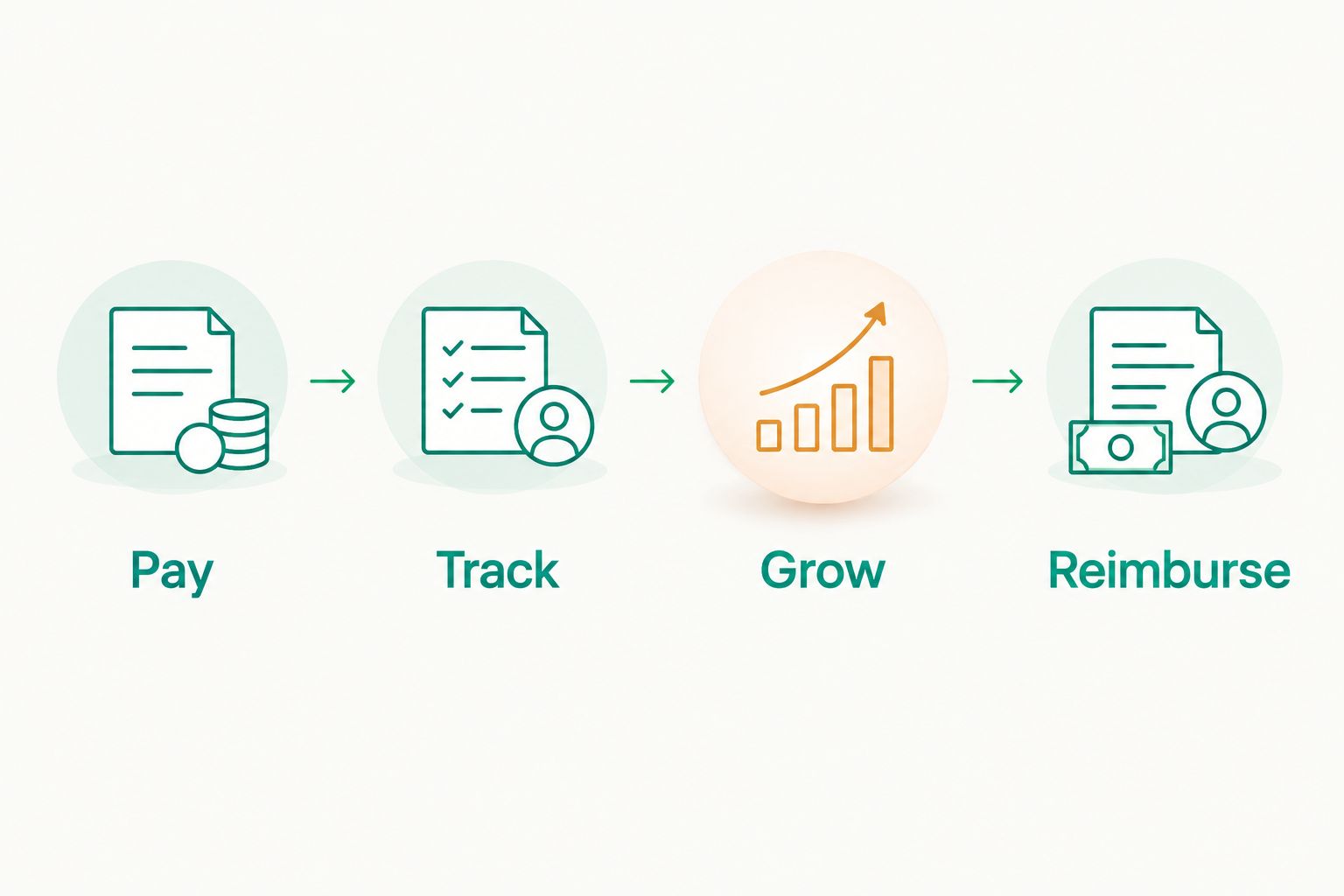
The same workflow works with an app, spreadsheet or organized files. The test is whether you can explain the expense and its reimbursement history without reconstructing everything from memory.
HSA rules are not FSA deadlines
There is no IRS deadline for reimbursing yourself from an HSA for a qualifying expense incurred after the HSA was established. You must retain records showing that the distribution meets the requirements for tax-free treatment.
A health FSA is different. Your plan sets claim-submission deadlines and any applicable grace-period or carryover provisions; do not treat an FSA receipt as an expense you can indefinitely bank for reimbursement.
For 2026 decisions, use IRS Publication 969 for HSA and health FSA rules, Publication 502 for medical-expense guidance, and the Instructions for Form 8889 for HSA reporting. Read them together: Publication 502 alone is not a complete HSA rulebook.
The consequences matter. A nonqualified HSA distribution is generally taxable and can face an additional 20% tax. That additional tax generally does not apply after age 65, disability or death; those exceptions do not make an otherwise nonqualified expense tax-free.
A doctor’s letter also does not automatically qualify a general-health expense. The medical-care purpose and applicable rules still control.
When staying with Flex is the right call
Stay with Flex when your need is the checkout service it provides and that workflow works for you. This article does not establish that another payment service would serve you better.
For your 2026 setup, judge receipt tracking separately. If your current spreadsheet, folder system or HSA-provider tool keeps complete records, switching adds work without solving a demonstrated problem.
FAQ
What are the best Flex alternatives for HSA receipt tracking?
Reimbursable is a dedicated receipt-tracking option; a spreadsheet with saved receipts is an alternative for manual control. HSA-provider receipt tools and organized digital or paper files are also legitimate choices.
Is a receipt-tracking app required for tax-free HSA reimbursement?
No, a receipt-tracking app is not required. You need adequate records showing that the distribution covers qualified expenses incurred after the HSA was established and not reimbursed elsewhere or claimed as an itemized deduction.
Can I save an HSA receipt and reimburse myself years later?
Yes, IRS rules do not impose a deadline for reimbursing qualifying expenses incurred after your HSA was established. Keep supporting records and confirm that the expense has not already been reimbursed or deducted.
Can I save FSA receipts for reimbursement years later?
Do not treat FSA receipts like indefinitely deferred HSA reimbursements. A health FSA follows its plan’s coverage and claim-submission rules, including any applicable grace-period or carryover provisions.
Does an accepted HSA or FSA payment prove an item is eligible?
No, payment acceptance is not a final tax determination. Verify the expense under the applicable medical-expense rules and retain documentation of its qualifying purpose.
Should I use free tracking or Premium receipt automation?
Use free manual tracking if entering and organizing receipts is manageable. Consider Premium when AI receipt scanning, bank sync or email forwarding reduces a recurring administrative burden; automation is not required for tax-free reimbursement.
Does a doctor’s letter make a general-health purchase HSA eligible?
No, a doctor’s letter does not automatically make a general-health purchase eligible. The expense must satisfy the applicable medical-care requirements; consult your tax advisor when the distinction is unclear.
One last thing
Before switching tools, try retrieving one older medical expense. Can you find the itemized receipt, establish your final out-of-pocket amount and confirm whether you already reimbursed it?
That small test identifies the problem more clearly than a feature list. Choose the simplest system that preserves the evidence and prevents duplicate reimbursement.
Not tax advice. Always consult your tax advisor.