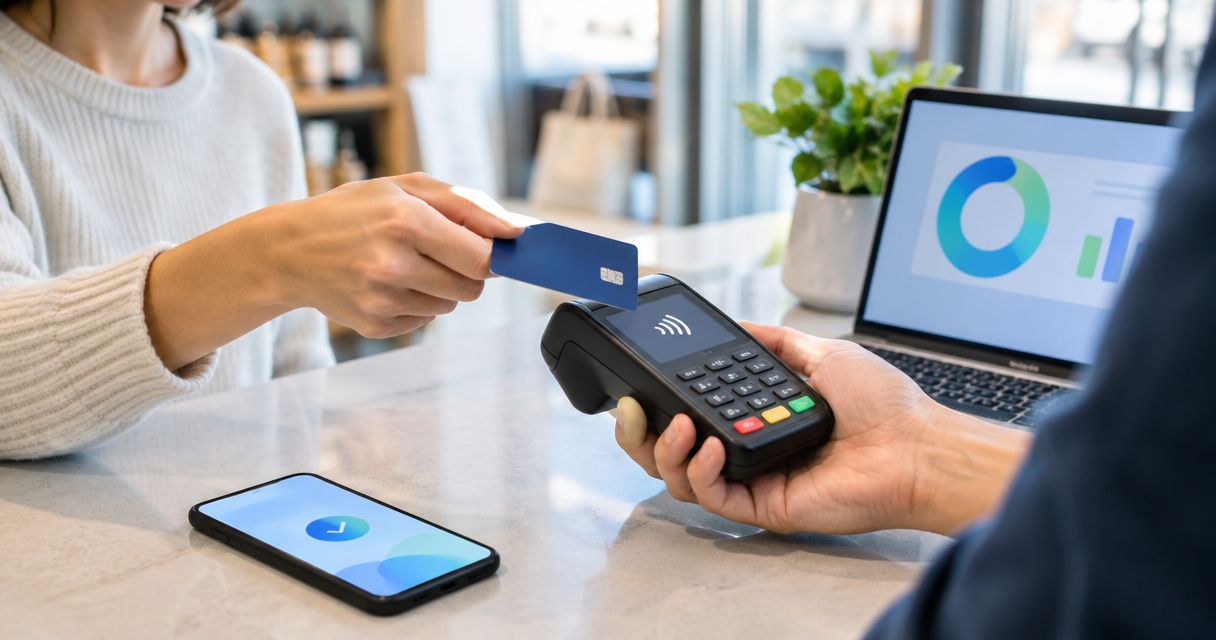
Instead of manually matching every medical charge to a receipt, use one expense record to connect payment, supporting documents, and reimbursement status. For HSA debit card reimbursement tracking, the key distinction is simple: an HSA debit card payment already uses HSA money, so that amount must not enter your future reimbursement queue.
- HSA debit card reimbursement tracking must separate direct HSA spending from out-of-pocket expenses awaiting reimbursement.
- Reimbursable suits HSA holders who want receipt tracking separate from their account provider.
- Save itemized receipts, payment evidence, and insurance adjustments together; a card transaction alone does not establish eligibility.
- HSA reimbursement has no IRS time limit, but eligible expenses must occur after the HSA was established.
Why this matters
Your receipt archive and your reimbursement queue are not the same thing. Both HSA-paid expenses and personally paid expenses need documentation, but only the personally paid, still-unreimbursed portion belongs in the queue.
Reimbursable provides HSA receipt tracking and an eligibility directory. Reimbursable is best for HSA holders who want a separate place to track receipts and reimbursement records. A spreadsheet, organized folders, paper records, or your HSA provider's receipt tools can also support this workflow.
For your 2026 records, use IRS Publication 969 for HSA distribution and recordkeeping rules and IRS Publication 502 for medical-expense definitions, alongside HSA-specific restrictions. Card acceptance does not replace those rules.
Before you start
- Gather access to your HSA transaction history, personal payment records, itemized receipts, and relevant insurance explanations of benefits. Keep the HSA establishment date accessible, too.
- Choose a tracking location you can maintain. Free manual tracking in Reimbursable is unlimited; a spreadsheet with linked documents is also a legitimate starting point.
- Check the payment source before importing anything. An HSA debit card charge is already a distribution. Treating that charge as an unpaid reimbursement claim creates a duplicate-withdrawal risk.
A qualified expense must occur after the HSA was established, cannot be reimbursed elsewhere, and cannot also be claimed as an itemized medical deduction. A doctor's letter does not automatically make a general-health expense eligible.
Payment-source setup
Create your expense ledger
The field names below are suggested labels for your own ledger, not claims about buttons or screens inside any app. Use equivalent fields or notes in whichever tracking method you choose.
- Create Expense ID, Patient, Provider or merchant, Service or purchase date, and Expense description fields. Give each expense a stable identifier so documents and transactions stay connected.
- Add Qualified amount, Payment source, HSA-paid amount, Personally paid amount, Other reimbursement, and Later HSA reimbursement fields. Keep the original bill amount separate from the amount that qualifies.
- Add Receipt location, Insurance status, Reimbursement status, and Review notes fields. Record uncertainty instead of silently treating an expense as qualified.
- Use plain status labels such as Needs review, HSA paid, Awaiting reimbursement, and Fully reimbursed. These are labels you assign, not tax determinations.
Expected result: Each expense record shows what happened, how it was paid, and whether any amount remains eligible for a later withdrawal.
Separate the payment paths
Use 2 payment paths in your 2026 ledger. The documents overlap, but the reimbursement action differs.
| Payment path | Best for | Main benefit | Limitation | Tracking action |
|---|---|---|---|---|
| HSA debit card | Paying qualified expenses directly from the HSA | No separate personal reimbursement transfer is needed | You still need evidence that the distribution covered a qualified expense | Record the HSA-paid amount; exclude it from future reimbursement |
| Personal payment | Paying out of pocket and choosing when to reimburse yourself | Separates the medical payment from the later HSA withdrawal | You must preserve records and prevent duplicate reimbursement | Track only the qualified, personally paid amount still unreimbursed |
For a split payment, keep both portions in the same expense record. Do not label the whole bill as awaiting reimbursement merely because you paid part personally.
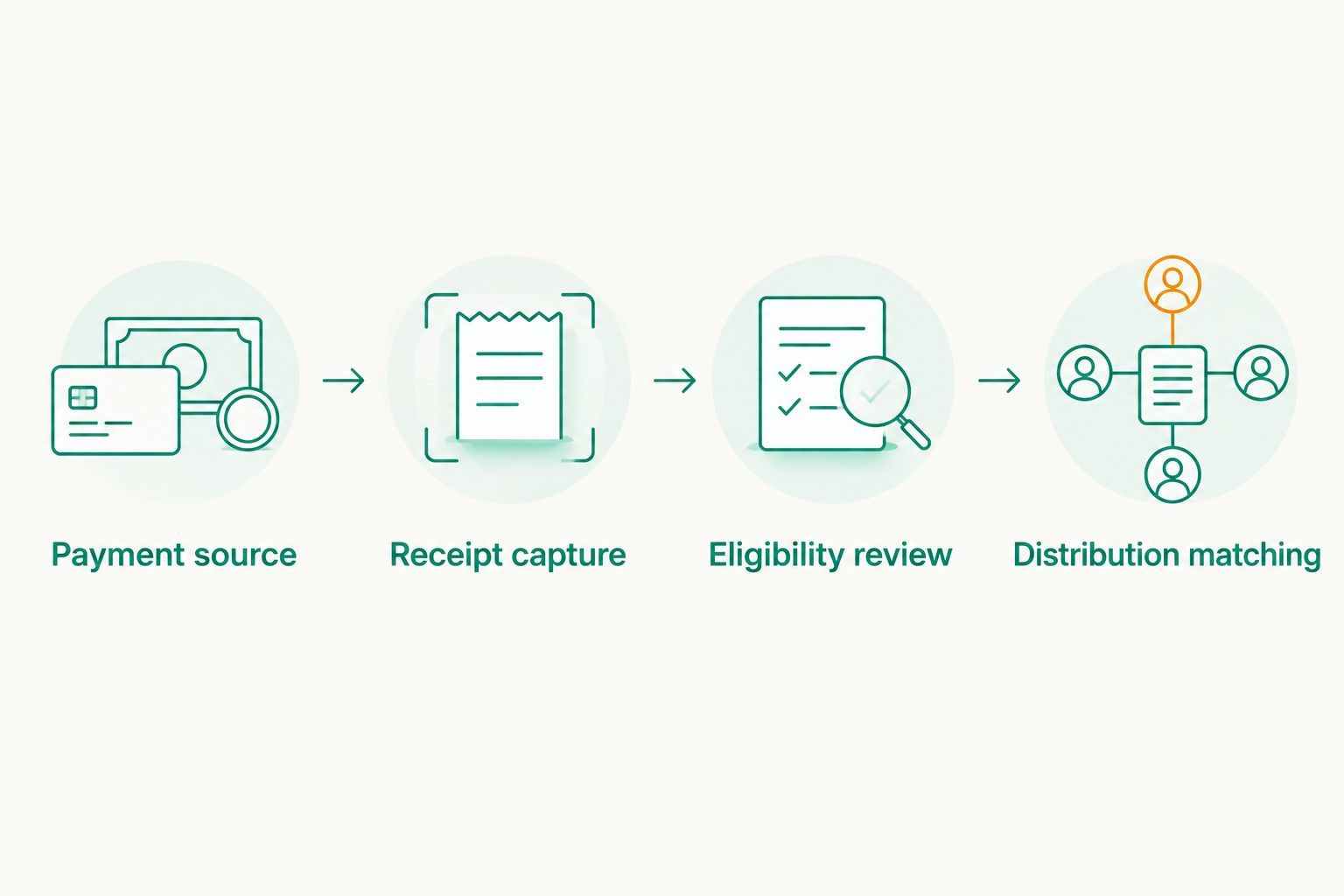
Receipt capture and eligibility review
Match the documents
- Save the itemized receipt or provider statement. Preserve the patient, service or item, date, and amount wherever those details appear.
- Match the payment evidence to the expense. Use the HSA transaction for direct spending or your personal payment record for an out-of-pocket payment.
- Attach the insurance explanation of benefits when insurance affects your responsibility. An explanation of benefits describes claim processing; it is not, by itself, proof that you paid.
- Check the service or purchase date against the HSA establishment date. Paying an older bill after opening an HSA does not make the underlying pre-establishment expense qualified.
Aim to connect 3 document types when applicable: the itemized bill, payment evidence, and insurance explanation of benefits. Retail purchases without insurance involvement will not need that last document.
Expected result: You can explain both the medical expense and the payment without relying on a merchant name in a bank feed.
Confirm the qualified portion
- Review the actual items or services, not just the seller. A pharmacy receipt can contain both qualified medical purchases and unrelated goods.
- Separate qualified and nonqualified portions before calculating any reimbursement. Use the guide to separating qualified expenses on mixed bills when one receipt contains both.
- Check whether insurance, an FSA, another account, or another party reimbursed the same expense. Exclude amounts already covered elsewhere.
- Mark uncertain items Needs review. Resolve eligibility using IRS guidance and your tax advisor before treating the amount as available for tax-free reimbursement.
Expected result: Your ledger records a supported qualified amount, rather than assuming the entire transaction qualifies.
For 2026 eligibility checks, distinguish treatment of a medical condition from purchases for general health. A recommendation or doctor's letter can support the facts, but it does not override the underlying tax rules.
Distribution matching and closeout
Record the HSA debit card payment
- Find the matching HSA debit card transaction after it posts. Compare the merchant, transaction amount, and supporting receipt; the posting date need not match the service date.
- Enter the amount paid from the HSA under HSA-paid amount. Record any personally paid portion separately.
- Assign HSA paid when the HSA covered the qualified expense in full. Keep the documents even though no later reimbursement is needed.
- For a split payment, place only the qualified personal portion in Awaiting reimbursement. Do not add the HSA-paid portion again.
Expected result: The direct HSA distribution is documented, and your future reimbursement queue excludes money already taken from the account.
Use 1 expense record per underlying expense, with linked payment entries when needed. A receipt upload, bank-feed transaction, and HSA statement entry can all describe the same purchase; they are not separate reimbursement opportunities.
Variant: Track a personal payment for later reimbursement
An out-of-pocket payment follows the same documentation process, but its qualified, unreimbursed portion can remain open for a future HSA withdrawal. There is no IRS deadline for reimbursing a qualified HSA expense incurred after the account was established, provided you retain the required records and satisfy the other rules.
- Record Personal payment as the payment source. Save evidence of payment alongside the itemized receipt and any insurance adjustment.
- Mark the qualified, personally paid portion Awaiting reimbursement. Exclude anything reimbursed elsewhere or claimed as an itemized medical deduction.
- When you choose to reimburse yourself, request the distribution through your HSA provider's process. Receipt tracking does not itself move money from the HSA.
- Record the distribution date and amount, then connect that withdrawal to the expense it covers. For partial reimbursement, leave only the remaining qualified balance open.
- Change the status to Fully reimbursed when no eligible unreimbursed balance remains. Keep the record rather than deleting it.
Expected result: Every later HSA withdrawal connects to documented expenses, and the ledger shows what remains available without counting anything twice.
For 2026 planning, do not confuse HSA flexibility with FSA deadlines. FSAs follow plan-specific claim-submission and spending rules; an HSA's reimbursement timing does not extend an FSA deadline.
Choose manual tracking or less receipt admin
Reimbursable offers unlimited free manual tracking. Premium adds AI receipt scanning, bank sync, and email forwarding; those features reduce receipt administration, not the legal requirements for tax-free reimbursement.
| Tracking method | Best for | Useful feature | Trade-off |
|---|---|---|---|
| Spreadsheet and digital folders | People who want to design their own ledger | Custom fields and direct links to saved documents | You enter data and maintain links yourself |
| Paper receipts and an index | People comfortable with physical records | A physical archive without app setup | You must protect legibility and retrieve documents manually |
| HSA-provider receipt tools | People who prefer records near their account | Account-linked recordkeeping where offered | Features and access arrangements vary by provider |
| Reimbursable manual tracking | People who want a dedicated receipt-tracking app | Unlimited free manual tracking | Manual entry still takes attention |
| Reimbursable Premium | People whose recurring problem is receipt administration | Receipt scanning, bank sync, and email forwarding | Imported information still needs eligibility and duplicate review |
Choose automation when capture is the bottleneck, not as a substitute for checking eligibility. A correctly imported transaction can still be nonqualified or already reimbursed.
Troubleshooting
The debit card worked, but eligibility is unclear
Card acceptance is not a tax ruling. Review the itemized purchase against the medical-expense rules, and ask your HSA custodian and tax advisor how to address any nonqualified distribution.
The same purchase appears more than once
Match imported transactions and uploaded receipts to the existing expense record. Keep supporting documents together and remove duplicate reimbursement entries without deleting the underlying evidence.
The charge is visible, but the receipt is missing
Request an itemized copy from the provider or merchant. A bank statement establishes payment details, but it generally does not identify enough about the medical goods or services to establish qualification by itself.
Insurance changes the patient balance
Update the expense when the final responsibility changes. If insurance or the provider returns money after an HSA distribution, stop treating the original amount as fully supported and contact your custodian and tax advisor about the correction process.
The service date and posting date differ
Keep both dates rather than overwriting one with the other. The underlying service or purchase date matters for the HSA establishment test; the posting date helps you reconcile the account transaction.
Customize your workflow
Add a review whenever an insurance claim settles, a refund arrives, or you request a reimbursement. These events change the record; simply uploading the original receipt does not close the task.
For your 2026 reconciliation, compare the ledger's recorded distributions with your HSA statements and Form 1099-SA. Use the instructions applicable to the tax year when preparing Form 8889, and retain the supporting expense records.
Start with manual tracking if that is enough. Consider Premium only when scanning, bank sync, or email forwarding addresses a recurring administrative problem; none is required to obtain tax-free reimbursement.
FAQ
Do I reimburse myself after using my HSA debit card?
No, not for the amount already paid from the HSA. The debit card payment is already an HSA distribution; only a separate qualified, personally paid portion can remain eligible for later reimbursement.
Do I need receipts for HSA debit card purchases?
Yes, keep records establishing that the HSA distribution paid a qualified medical expense. An itemized receipt, payment evidence, and relevant insurance records help document the transaction.
Can I reimburse myself years after paying a medical bill?
Yes, the IRS sets no time limit for reimbursing a qualified expense incurred after your HSA was established. Keep records showing that it was not reimbursed elsewhere or claimed as an itemized medical deduction.
Does an approved HSA card transaction prove the purchase qualifies?
No, card approval does not establish tax eligibility. Check the actual item or service and retain documentation supporting its qualified medical purpose.
Can I track HSA receipts in a spreadsheet instead of an app?
Yes, a spreadsheet and organized supporting documents are legitimate alternatives. Your records must connect each distribution to qualified expenses and prevent duplicate reimbursement.
Does a doctor's letter automatically make an expense HSA eligible?
No, a doctor's letter does not automatically qualify a general-health expense. The underlying expense must satisfy the applicable medical-expense rules.
Do HSA reimbursements follow FSA claim deadlines?
No, HSA reimbursement timing differs from FSA deadlines. Follow your FSA plan's requirements separately, and never reimburse the same expense from both accounts.
One last thing
Keep HSA-paid receipts out of the reimbursement queue, not out of the archive. A completed payment still needs a documented medical purpose, and a later refund can require you to revisit it.
Not tax advice; consult your tax advisor.